Manual / Connect the AI
Connect the AI
Monad talks to the AI you already use. Set it up once and choose the model in each conversation.
The providers
Open Settings and go to Model providers. Each card shows its status: Ready or Setup required.
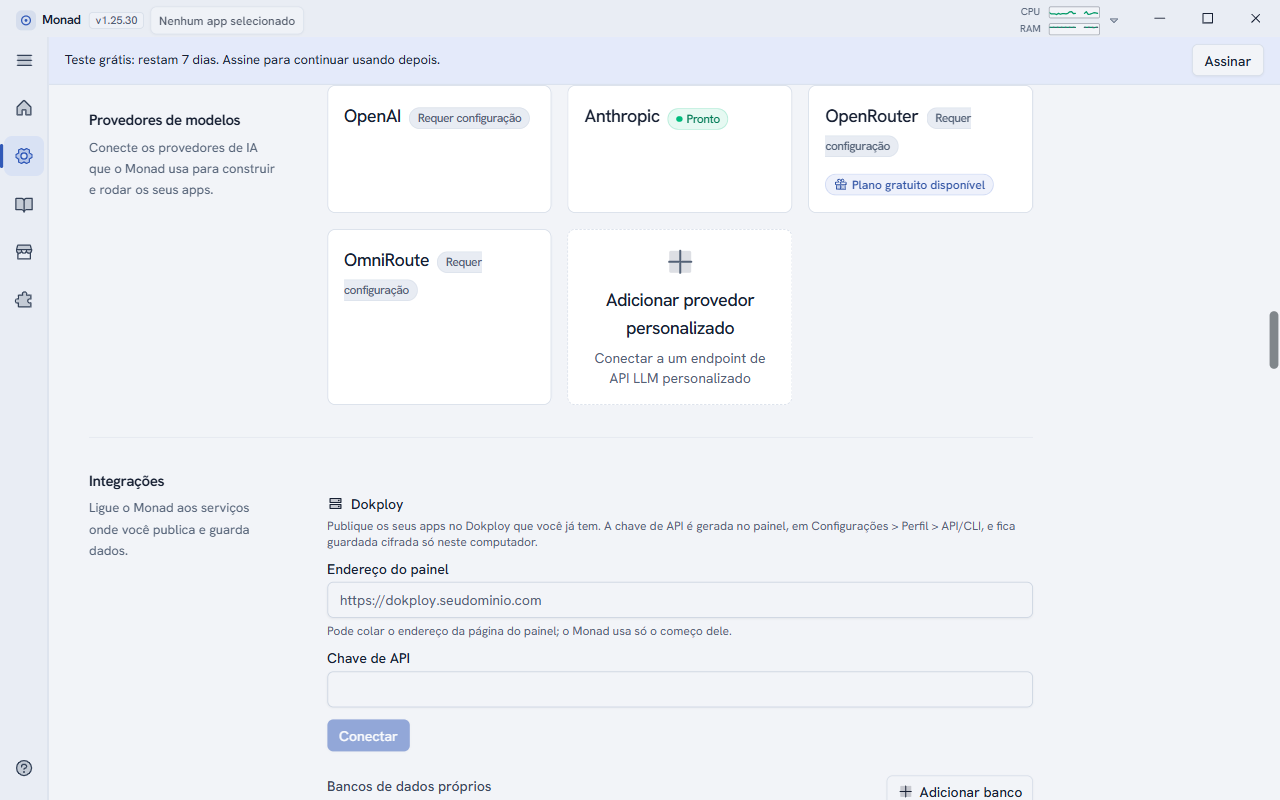
- OmniRoute: enter your gateway key and the models appear on their own. If the gateway is off, Monad tries again every 15 seconds.
- Anthropic: API key, or your Claude subscription through Claude Code.
- OpenAI: API key, or your ChatGPT subscription.
- OpenRouter: one key gives access to many models; there is a free-plan option.
- Add custom provider: connects any compatible model API address.
You can also open this screen from the Manage AI setup shortcut, just below the message field on the home screen.
Choose the model
The model selector is in the message field's bar, next to the conversation mode (on the home screen it shows auto). You can change models at any time, even in the middle of a conversation.
When the provider is busy
If the provider answers that it is busy or over its usage limit, Monad retries on its own: up to 10 times, waiting 2, 4, 8 and then 10 seconds between attempts, and respecting the time the provider asks for. You do not need to resend the message.
Instructions for every app
In Settings > AI, the Instructions for every app field holds standing preferences (up to 4,000 characters), for example: "Always answer in English. Prefer simple, short screens."
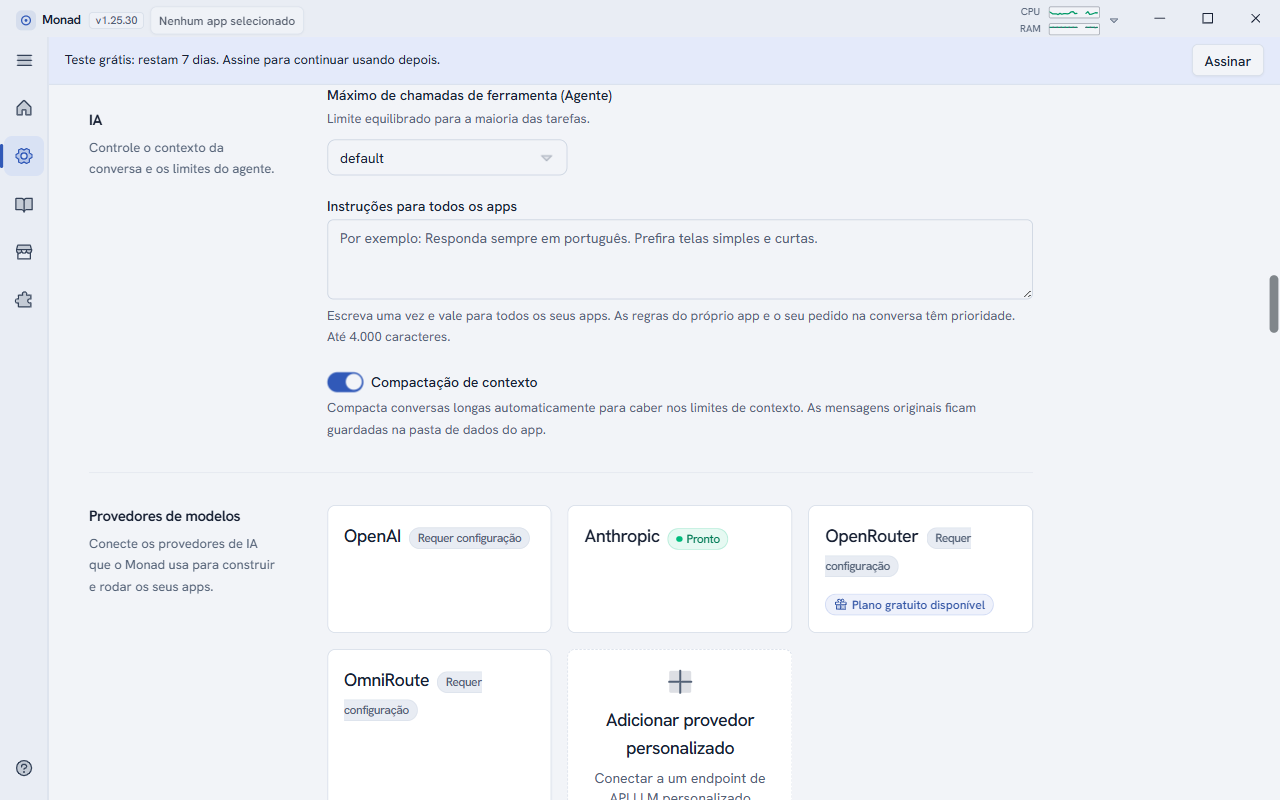
They apply to all your apps. The app's own rules and your request in the conversation take priority. When you leave the field, the text is saved.